Your first patch in the browser
Patch a supplied homebrew ROM in your browser, then check the downloaded result. You need nothing but a browser: no install, no account, and no files of your own.
The guide supplies the sample files when you ask for them; it does not load anything on its own.
What you are about to do
A patch is a small file that describes changes to one exact version of a game. rom-weaver combines your game file and the patch into a new file, and leaves your original alone.
That is all you need to know to start. How patching works explains the rest once you have seen it happen.
Step 1: open the guide and add the practice files
Open guided Apply Patches. On the plain Apply Patches page, the same guide is Patch a practice ROM › Start a practice run under the empty drop zone.
The guide opens on Add your files, the drop area every file goes through. It lists the ways in (on a phone, choose More on the guide card to see them): drop files or a whole folder, drop a ZIP, 7z, or weave, or choose Add files to pick them.
For this tutorial, choose Continue without adding anything. The guide moves to Or identify your original ROM, the search under the drop area for a game you know but have no file for. The homebrew sample has no public database entry, so choose Continue again. That loads the practice files, a tiny homebrew NES ROM and two patches written for this guide, and moves to the next tip. To add them the way you would add your own, choose Download first-weave.zip on the guide card instead (under More on a phone), then drop the ZIP on the drop area and choose Continue. Nothing is uploaded, and no commercial game data is involved.
Step 2: look at what you added
The guide points at three more parts of the Apply page. Each tip has a Try it line with one thing to do. Use Continue to move on, then Done to close the guide.
- Check your original ROM frames the ROM card, which lists the file's checksums, and lifts the Simple/Detailed switch beside it. Its label shows the active view. Turn it on and the card gains Files and Identify drawers; turn it off to keep one Checks drawer per file. Either view works for this tutorial.
- Patches and cheats shows two independent changes. One changes
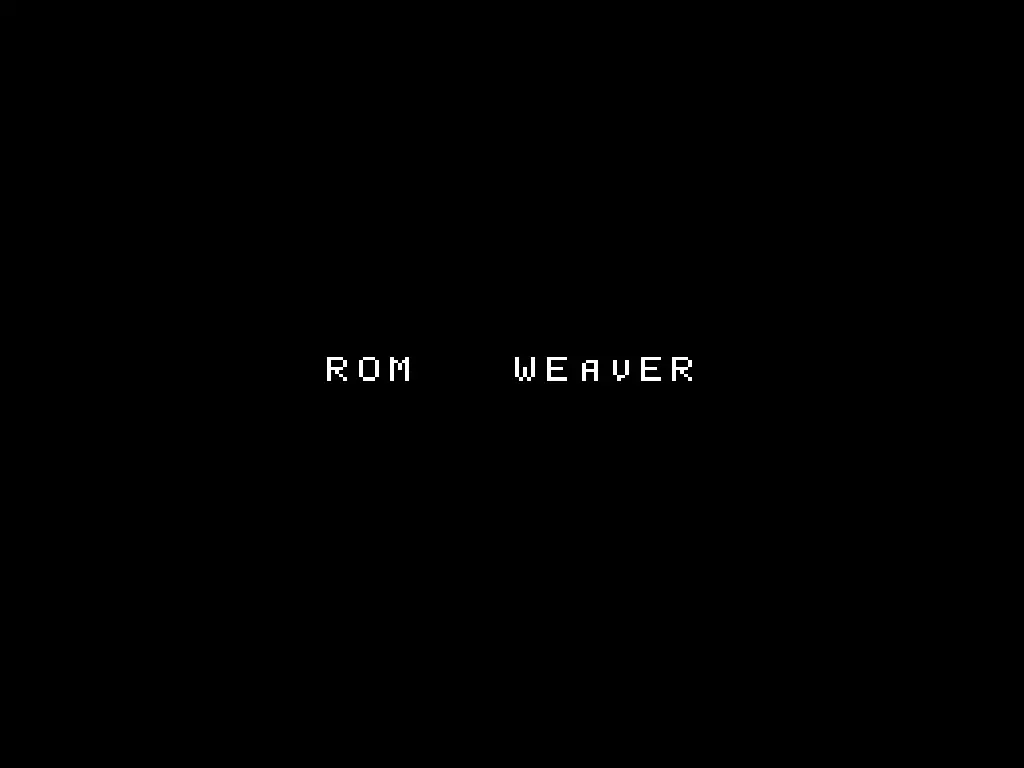
HELLOtoROM. The other changesWORLDtoWEAVER. Cheats join the same list from Add cheats to the patch order; leave every cheat off to preserve this tutorial's expected output. - Apply & download names the output controls you use in the next step.
Step 3: apply the patches
In Apply, check that Output format shows .nes, then choose APPLY & DOWNLOAD.
This downloads the ROM itself, not a ZIP archive. The checksum in the next step describes that ROM.
Your browser downloads a new ROM. The sample ROM you started from is untouched.

Step 4: check that you got the right bytes
- Keep the downloaded ROM, then open Identify.
- Add the downloaded ROM and wait for checksumming to finish.
- Open Checks on its ROM card and compare its SHA-1 with the value below.
The finished sample displays ROM WEAVER. Its SHA-1 is:
844b844c845dc99aa4f13a83b6c9cf639684ae8a
For a tool that reports SHA-256, the same file has this value:
7ac8001dcbcbff45cd5cebb5b0655192021fbbdf27533aa961347194ab3e836e
A match checks that you downloaded the expected result. Checksums explains what this comparison establishes.
To see the sample files for yourself, choose Download a test weave from Patch a practice ROM on the empty Apply page, or download first-weave.zip.
Step 5: try the other two samples
The same practice files drive two more guided runs:
- Guided Create makes a patch from two homebrew ROMs.
- Guided Weave Patches turns the Apply Patches sample into a patch-only release archive.
These are optional follow-up exercises. Guided practice runs lists every guided run, its steps, and its files.
Step 6: try a cheat-code sample
The supplied homebrew ROM also has guided cheat-code exercises:
- Guided Apply cheats adds a working practice code to the patch order.
- Guided Create cheats turns a working practice code into a patch.
These guides label the sample as practice. The checksum above is still the result of the two-patch tutorial. A cheat changes the output bytes, so do not expect that checksum after you select one.
If something looked different
This tutorial is written against the guided sample, so the usual surprises have simple causes:
- The page was empty when it opened. That is expected: the guide waits for you to add files. Choose Continue twice on the guide card to use the practice files. If no guide card appeared, the guide runs from the
?guide=applypart of the link. Open guided Apply Patches again rather than the plain Apply Patches page. - The button was greyed out. Every file has to finish reading and checksumming first. The notice nearest the disabled button always says what it is still waiting for.
- The patches were in the other order. That is valid for this sample. Both patches target the original ROM, so either order produces the same result.
- Your checksum did not match. Confirm you applied both patches and that you are hashing the downloaded file rather than the sample you started from.
None of these can damage anything here. The files are homebrew, and your input files are never modified - rom-weaver always writes a new one.
What you learned
You applied two independent patches, downloaded the result, and verified it with a checksum. You can also disable either patch and apply only the change you need. A real patch differs only in that you supply the game file.
Next
- Apply a ROM patch when someone hands you a real patch.
- How patching works for what a checksum proves and why the exact starting file matters.
- Your first apply in the terminal to do the same thing from a command line.