Your first apply in the terminal
Run a complete patch job in the terminal with the same tiny homebrew ROMs the webapp uses, then practice creating a patch and packaging it as a shareable weave. The practice ROMs are homebrew files supplied by this project.
Install first if you have not: Install the CLI.
You need an internet connection to download the practice files. Sample asset generation documents how a development checkout supplies the same files.
First apply
Follow these steps in a new working directory. The archive contains the ROM, two patches, and the expected result checksums.
- Download
first-weave.zip. - Apply its packaged recipe.
- Calculate the output SHA-256 with
checksum.
curl --fail --location --output first-weave.zip https://rom-weaver.com/first-weave.zip
rom-weaver patch apply --input first-weave.zip --output rom-weaver.nes
rom-weaver checksum --input rom-weaver.nes --algo sha256
The original ROM displays HELLO WORLD. One IPS patch changes HELLO to ROM, and the other changes WORLD to WEAVER. Both patches target the original ROM, so either order works. The final ROM displays ROM WEAVER. Open the result in an NES emulator to run it.
The final SHA-256 should be 7ac8001dcbcbff45cd5cebb5b0655192021fbbdf27533aa961347194ab3e836e. checksum prints two SHA256 lines; compare the first. The Header removed line hashes the ROM without its 16-byte NES header.
| Original ROM | After the first patch | After both patches |
|---|---|---|
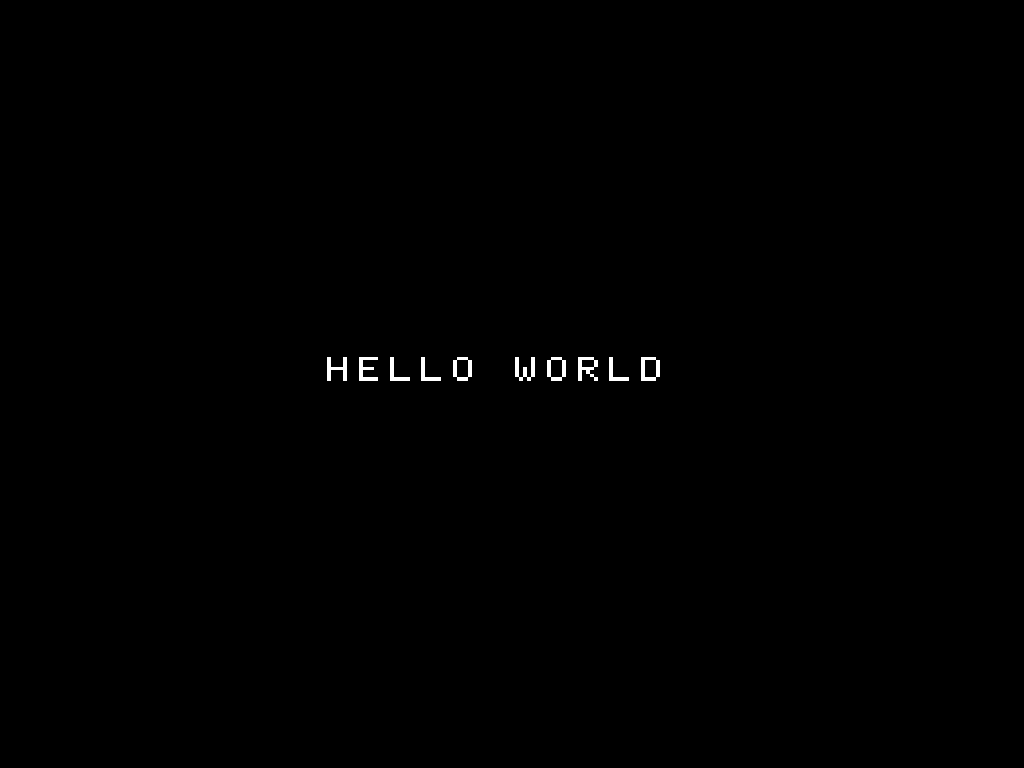 |
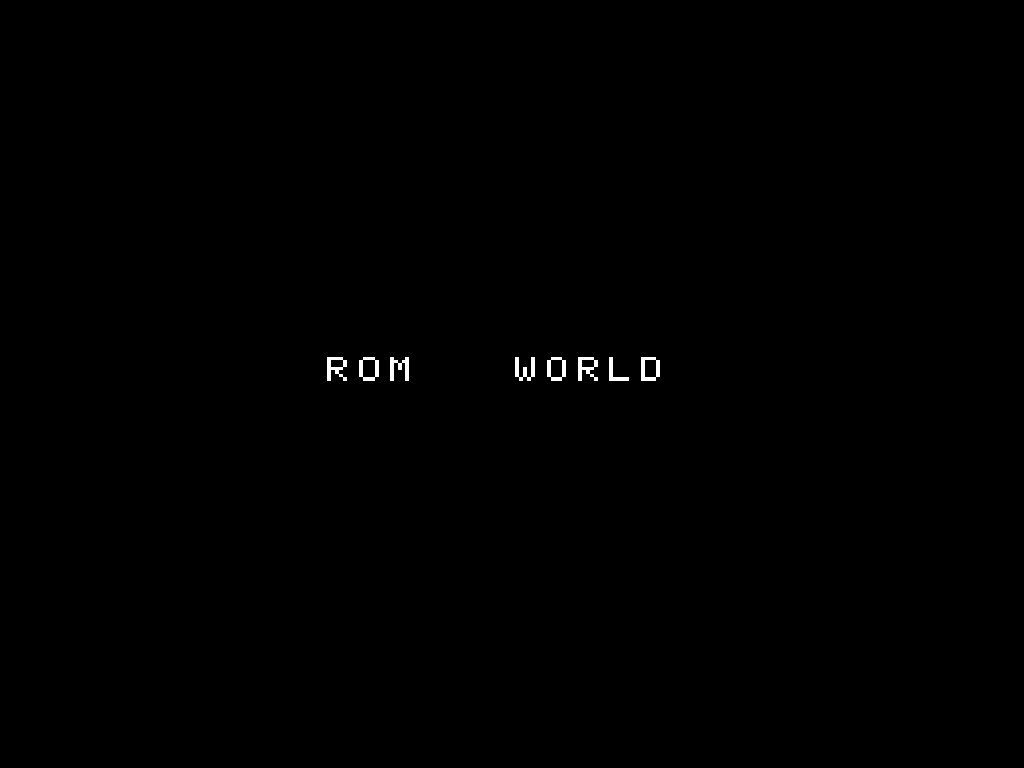 |
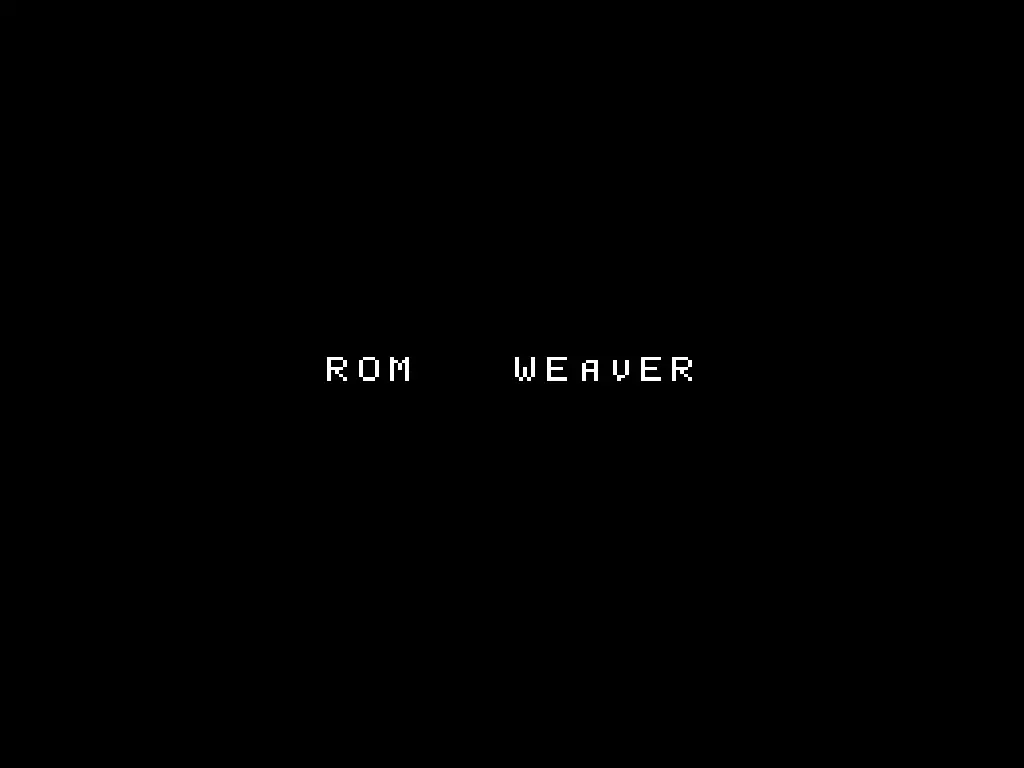 |
Practice patch creation and weaves
Use the two loose homebrew ROMs from guided Create. The first is the clean Original. The second is Modified:
curl --fail --location --output hello-world.nes \
  https://rom-weaver.com/hello-world.nes
curl --fail --location --output modified-world.nes \
  https://rom-weaver.com/modified-world.nes
Create a BPS patch, apply the created patch to the clean Original, and checksum the rebuilt file:
rom-weaver patch create \
  --original hello-world.nes \
  --modified modified-world.nes \
  --output sample.bps
rom-weaver patch apply \
  --input hello-world.nes \
  --patch sample.bps \
  --output rebuilt.nes
rom-weaver checksum --input rebuilt.nes --algo sha256
The final SHA-256 should be 00639b0b8586e10c67d6d15217478786cebed6e2cd6495ed94b6a338c0de0afd. That match proves the patch rebuilt Modified byte for byte.
Now package that tested patch as a patch-only weave. --no-weave-rom keeps the Original out of the ZIP while recording its checksums:
rom-weaver weave create \
  --input hello-world.nes \
  --patch sample.bps \
  --patch-id sample \
  --patch-name "HELLO to MODIFIED" \
  --expect-out sha256=00639b0b8586e10c67d6d15217478786cebed6e2cd6495ed94b6a338c0de0afd \
  --output rom-weaver-weave.json \
  --weave sample-weave.zip \
  --no-weave-rom
Test the finished archive from the same clean Original:
rom-weaver patch apply \
  --input hello-world.nes \
  --weave sample-weave.zip \
  --output weave-rebuilt.nes \
  --no-compress
rom-weaver checksum --input weave-rebuilt.nes --algo sha256
The first line should match rebuilt.nes:
SHA256  00639b0b8586e10c67d6d15217478786cebed6e2cd6495ed94b6a338c0de0afd
Header removed / SHA256  e88e1682d0c56578bb33910764fceb780ced4be5438fb2e2a94932af1d80710b
This sequence uses the same generated assets as the browser tours, so both interfaces start from identical bytes.
What you learned
You applied a patch chain, created and checked a patch, and packaged it as a weave. For your own release, repeat those checks with the documented Original and each supported patch combination.
Next
- Apply patches from the CLI: patch order, headers, byte order, checksum checks, and validation.
- Create patches from the CLI: build and test a patch for release.
- Weaves from the CLI: package patches into a repeatable, verifiable recipe.
- CLI reference: the command map, global behavior, and output formats.
- How patching works: what these checksums actually prove.