Checksum a file in the browser
Calculate any file's checksum and compare it with an expected value. Your file stays in your browser.
For ROM title lookup, use Identify a ROM. For terminal procedures, see Hash a file.
Calculate checksums
- Open Checksum file.
- Select the algorithms in Options. CRC32, MD5, and SHA-1 are selected by default.
- Leave Auto extract checked to open archives and containers. Clear it to checksum the original file.
- Add one file. If an archive contains several files, choose the file to check.
- Wait for Checksums to show the results.
You can add a text file, patch, ROM, archive, or any other file. Select a checksum row to copy its value.
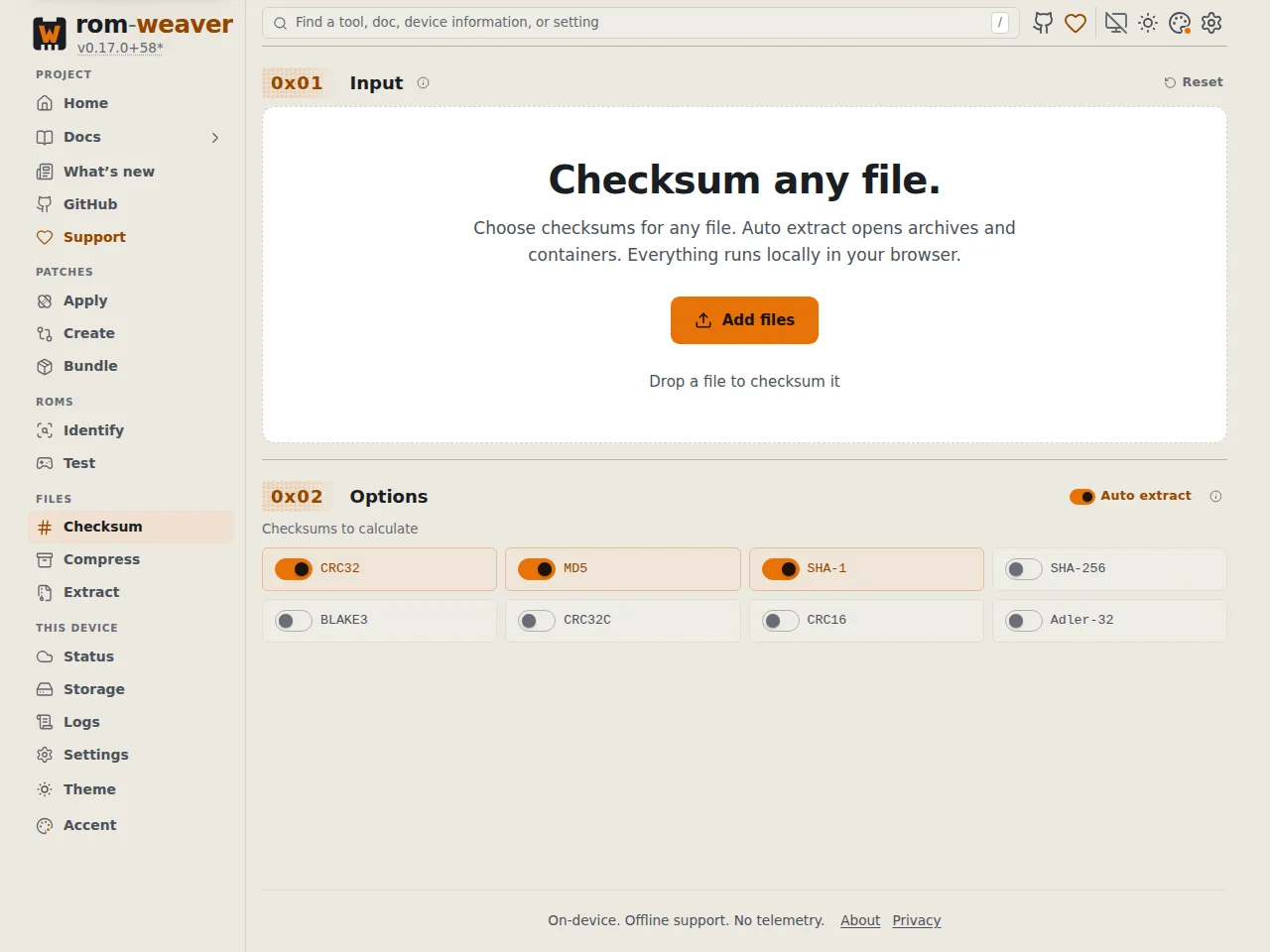
Add an algorithm
- Select another algorithm, for example SHA-256.
- Select Calculate SHA-256.
With Auto extract checked, an archive can ask you to select its file again. Each calculation uses one selected file for all displayed checksums.
To stop a calculation, cancel it from the progress bar. The previous results stay available.
The checksum support table lists every algorithm.
Compare with an expected checksum
- Paste the expected value into Compare with an expected checksum.
- Read the result under the field.

A match names the algorithm. For ROMs with known headers or byte orders, a match can also name a transformed variant.
An 8-character or 64-character value can belong to several algorithms. If another algorithm is needed, select it and calculate it.
If no checksum matches, check that you selected the correct file and extraction setting.